Say Goodbye to Fraud: The Ultimate Guide to Punjab Vehicle Biometric Verification (Seller & Buyer Steps)
Confused about car or motorcycle transfer in Punjab? Stop searching. Here is the complete step-by-step guide to Punjab Vehicle Biometric Verification via NADRA e-Sahulat. Learn about the online process, fees, tracking ID, and locations near you to ensure a secure transfer.
Say Goodbye to Fraud: The Ultimate Guide to Punjab Vehicle Biometric Verification
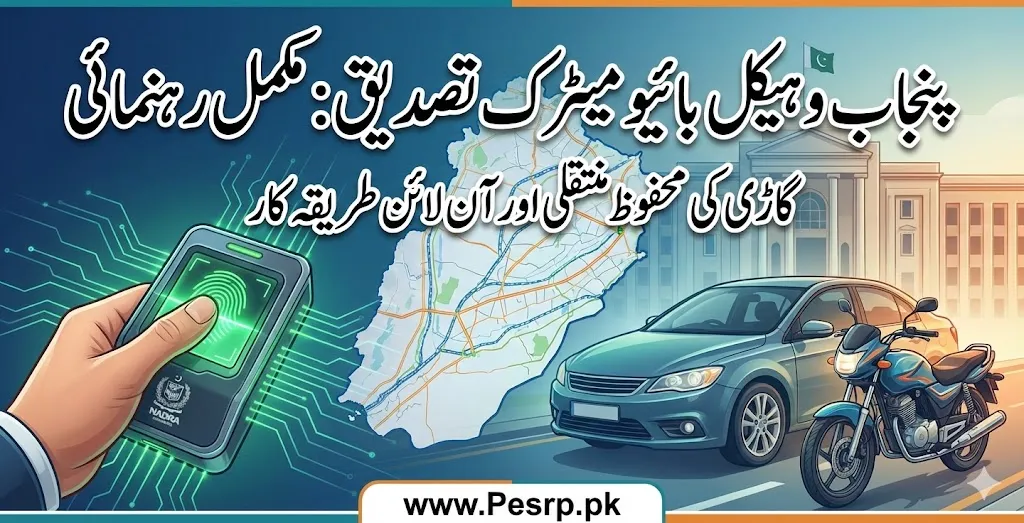
If you are buying or selling a car or motorcycle in Punjab today, the old ways of “Open Letter” transfers are dead. To tackle fraud, stolen vehicles, and legal complications, the Punjab Excise, Taxation, and Narcotics Control Department (ETNC), in collaboration with NADRA, has made Punjab vehicle biometric verification mandatory.
This shift has confused many. People are frantically searching for “vehicle biometric verification online” or “NADRA biometric verification near me.”
This comprehensive guide will cut through the noise. We will explain exactly how the process works, clarify the “online” versus “physical” steps, discuss the fees, and ensure your vehicle transfer is secure and official.

The Big Question: Can I Do Vehicle Biometric Verification totally Online?
This is the most common query, and the answer needs clarification.
No, you cannot scan your fingerprint using your own smartphone at home for vehicle transfer.
While previously there were attempts to allow in-app scanning, the current standard procedure is a hybrid model. You initiate the request online through the Punjab Excise App, but the actual NADRA vehicle biometric verification must be done physically at an authorized location.
You must visit a NADRA e-Sahulat Center or designated Excise office to provide your thumb impression.
Why is Biometric Verification Mandatory?
Before this system, vehicles were sold on “open transfer letters,” meaning the vehicle remained in the original owner’s name in Excise records despite changing hands multiple times. This led to:
- Original owners being held responsible for crimes committed using the vehicle.
- Buyers purchasing stolen or disputed vehicles.
The new motor vehicle biometric verification links the transfer directly to the NADRA database of both buyer and seller, ensuring absolute transparency.
Step-by-Step Guide to Punjab Vehicle Transfer (Buyer & Seller)
The process requires coordination between the seller and the buyer. The seller must complete their part first.
Phase 1: Initiating the Transfer Online (The App)
Before going for biometric scanning, a transfer application must be created.
- Download the App: The buyer or seller needs to download the official “e-Pay Punjab” or “Excise Punjab” application.
- Vehicle Details: Navigate to the vehicle transfer section and enter the vehicle registration number.
- Calculate Taxes: The app will calculate the required transfer fees and taxes.
- Generate PSID: A Payment System Identifier (PSID) number will be generated.
- Pay Fees: Pay the transfer taxes using the PSID via mobile banking, ATM, or over the counter banks.
- Application ID: Once paid, the system will generate a unique tracking ID or Application ID for the transfer request. Keep this safe; you need it for biometric verification.
Phase 2: The Seller’s Biometric Verification
Once the application is initiated online:
- The current owner (Seller) must visit the nearest NADRA e-Sahulat center. (Search “vehicle biometric verification near me” on Google Maps to find one).
- Provide the vehicle registration number and the Application ID to the e-Sahulat franchise operator.
- The operator will ask the seller to place their thumb on the biometric scanner.
- NADRA verifies the seller’s identity against the vehicle records.
- Once successful, the seller’s part is complete. They will receive a confirmation SMS.
Phase 3: The Buyer’s Biometric Verification
Crucial: The buyer can only perform their verification after the seller is successful.
- Within 30 days of the seller’s verification, the buyer must visit a NADRA e-Sahulat center.
- Provide the same Application ID/vehicle number.
- The buyer provides their biometric thumb impression.
- NADRA verifies the buyer’s identity.
Phase 4: Final Approval
Once both biometrics are successfully matched in the system, the Excise Department automatically approves the transfer. The vehicle’s official record is updated with the new owner’s name, and the smart card will be dispatched to the buyer’s address.
پنجاب وہیکل بائیو میٹرک تصدیق: گاڑی ٹرانسفر کرنے کا مختصر اور آسان طریقہ
کیا آپ پنجاب میں گاڑی یا موٹرسائیکل خرید یا بیچ رہے ہیں؟ فراڈ سے بچنے کے لیے حکومتِ پنجاب نے “اوپن لیٹر” پر خریدو فروخت ختم کر کے بائیو میٹرک تصدیق لازمی قرار دے دی ہے۔
گوگل ڈسکور کے صارفین کے لیے گاڑی اپنے نام کروانے کا انتہائی مختصر اور آسان طریقہ یہ ہے:
کیا انگوٹھا موبائل سے سکین ہو سکتا ہے؟ نہیں! فیس کی ادائیگی آن لائن ہوگی، لیکن انگوٹھا لگانے کے لیے آپ کو قریبی نادرا ای-سہولت (e-Sahulat) سینٹر ہی جانا ہوگا۔
گاڑی ٹرانسفر کے 3 آسان مراحل:
آن لائن فیس اور آئی ڈی (ID): سب سے پہلے e-Pay Punjab ایپ ڈاؤن لوڈ کریں۔ گاڑی کا نمبر درج کر کے آن لائن ٹیکس ادا کریں اور ایک ٹریکنگ آئی ڈی (Application ID) حاصل کریں۔
بیچنے والے کی بائیو میٹرک: موجودہ مالک اس آئی ڈی کے ساتھ کسی بھی قریبی نادرا ای-سہولت فرنچائز جائے اور بائیو میٹرک مشین پر اپنا انگوٹھا لگا کر تصدیق کرے۔
خریدار کی بائیو میٹرک: بیچنے والے کی تصدیق کے بعد، خریدار کے پاس 30 دن کا وقت ہوتا ہے۔ وہ بھی اسی آئی ڈی پر ای-سہولت سینٹر جا کر اپنا انگوٹھا سکین کروائے۔
دونوں کی تصدیق مکمل ہوتے ہی گاڑی خود بخود خریدار کے نام ٹرانسفر ہو جائے گی!
Fees and Charges Involved
When calculating costs, remember there are two separate types of fees:
- Government Transfer Tax: This is paid via the e-Pay App using the PSID. The amount varies significantly depending on the vehicle’s engine capacity (CC) and whether you are a Filer or Non-Filer.
- NADRA Biometric Verification Fee: This is a service charge paid at the e-Sahulat center for the fingerprint scanning service.
- Estimated Fee: Approximately PKR 120 to PKR 250 per person (Seller pays theirs, Buyer pays theirs). Note: These fees are subject to change by NADRA.
Troubleshooting: Tracking and Common Issues
Biometric Verification ETD Punjab Tracking ID: If you need to track the status of your application, you can use the Application ID generated in Phase 1 on the Punjab Excise website portal under the vehicle verification section.
What if Biometrics Fail? Sometimes, fingerprints don’t match due to age, skin conditions, or technical errors. If this happens repeatedly at e-Sahulat centers, the individual may need to visit a main NADRA registration office to update their fingerprint records before retrying the vehicle transfer.
Frequently Asked Questions (FAQs)
Q1: Can I do NADRA vehicle biometric verification online at home?
A: No. You must visit a NADRA e-Sahulat center or a designated Excise office physically to scan your thumbprint. Only the payment and application initiation are done online.
Q2: What documents are needed at the e-Sahulat center?
A: You primarily need your original CNIC, the vehicle registration number, and the Application ID generated via the Excise/e-Pay app.
Q3: Is there a time limit between seller and buyer verification?
A: Yes. Once the seller completes their biometric verification, the buyer usually has a 30-day window to complete their part. If they fail to do so, the application may expire, requiring the process to restart.
Q4: I am an overseas Pakistani. Can I sell my car in Punjab without visiting?
A: This is complicated. The standard procedure requires physical biometric presence in Pakistan. You may need to grant a Power of Attorney to someone in Pakistan, and they would handle the transfer, subject to specific Excise department approval procedures for such cases.
Q5: Where can I find vehicle biometric verification near me?
A: Almost all active NADRA e-Sahulat franchises across Punjab offer this service. You can find them in most commercial markets or by searching on Google Maps.
Disclaimer; This is an informational article for guidance of the people. Visit official sites for authentic information.