ICT 9th Class Practical Model Paper and List of Practicals 2026 by PECTAA Official
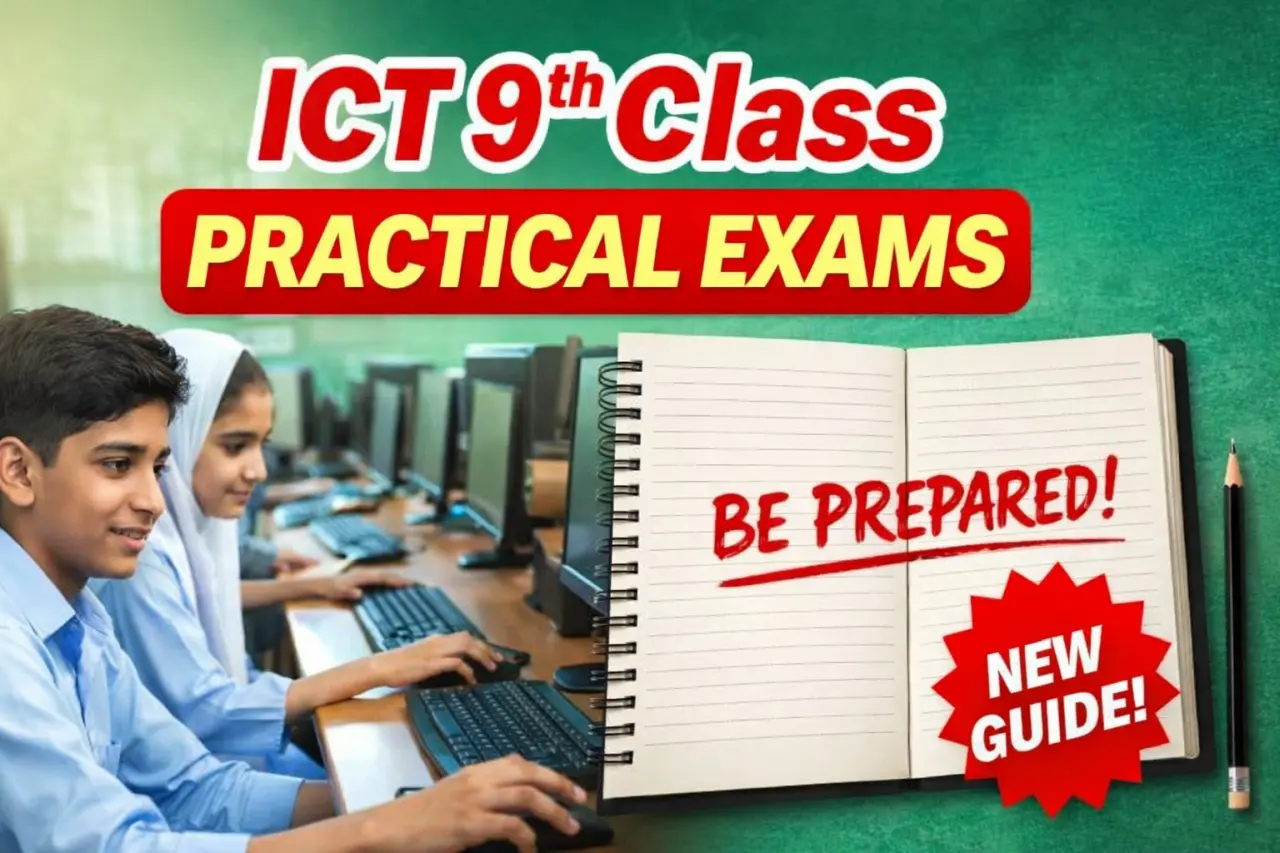
If you are a 9th class student preparing for ICT practical exams in 2026, this guide will help you understand everything clearly. The practical paper issued under PECTAA guidelines focuses on real computer skills, basic electronics, web development, and emerging technologies like AI.
Many students only prepare theory and ignore practical work. That is a big mistake. The practical paper carries important marks and can improve your overall grade.
In this article, you will find:
- Complete structure of the practical model paper
- Unit-wise list of ICT practicals
- Marks distribution and pairing scheme
- Smart preparation tips
- Important FAQs
Understanding the ICT Practical Paper 2026
The ICT practical exam is designed to test what you can actually do on a computer or in a lab. It is not about memorizing definitions. It checks your:
- Computer handling skills
- Presentation and formatting abilities
- Basic coding knowledge
- Hardware understanding
- Use of modern tools like AI
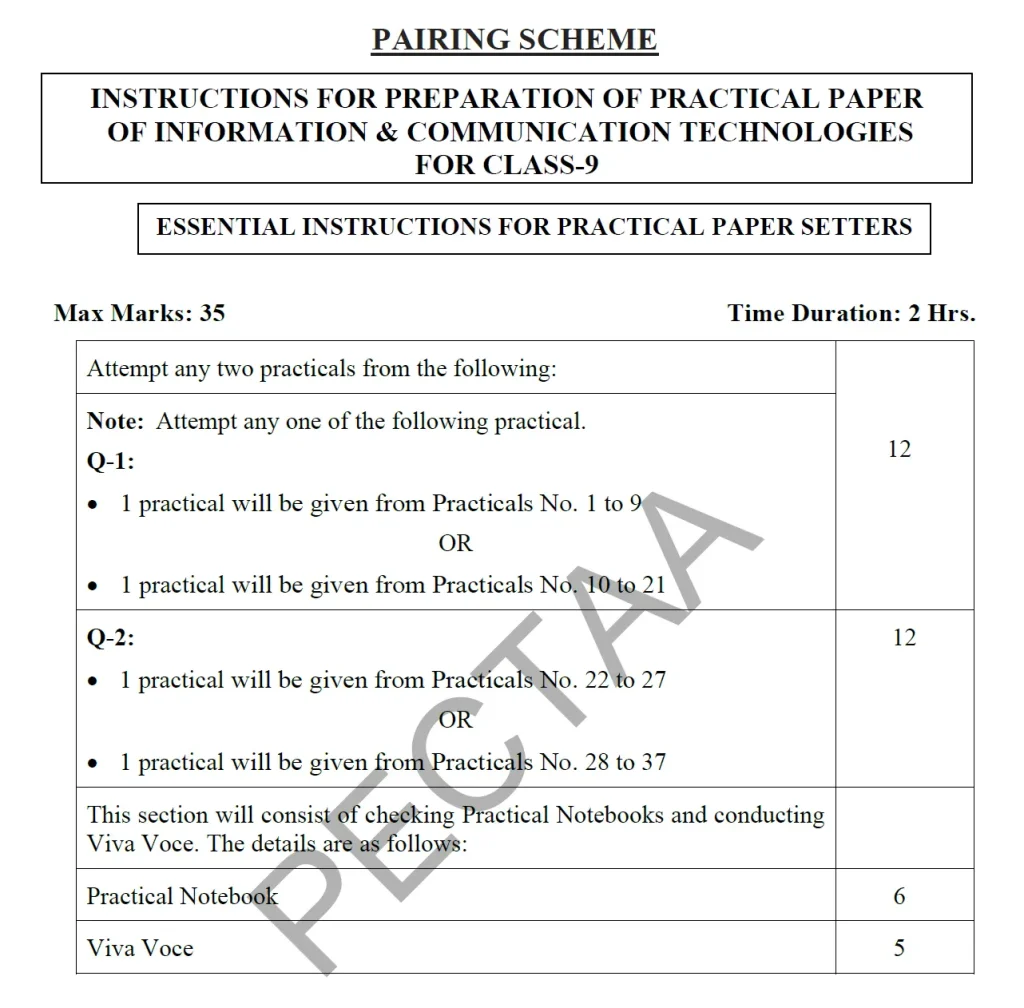
The total marks for the practical paper are 35, and the exam duration is 2 hours.
Marks are divided into:
- Two practical questions
- Practical notebook checking
- Viva voce (oral questions)
Marks Distribution at a Glance
Here is how the marks are usually divided:
- Question 1: 12 marks
- Question 2: 12 marks
- Practical Notebook: 6 marks
- Viva Voce: 5 marks
Each practical question includes:
- Task performance on computer (5 marks)
- Writing step-by-step procedure (7 marks)
This means you must not only perform the task but also explain how you did it.
Full List of ICT Practicals 2026 (Unit-Wise Overview)
The practical syllabus is divided into six major units. Each unit builds a different skill set.
Digital Skills and Office Work
This section focuses on basic computer usage and document preparation. Students learn how to:
- Format documents properly
- Create professional letters
- Insert images, tables, and shapes
- Apply headings and generate table of contents
- Design presentations with themes
- Add animations and transitions
- Prepare slides on different topics
These practicals test your understanding of word processors and presentation software.
Basic Electronics and Arduino Projects
This unit introduces simple circuits and beginner-level electronics. Students work with:
- LED circuits using battery, switch, and resistor
- Paper circuits
- Series and parallel connections
- Temperature sensors
- Arduino-based alarm systems
- Automatic fan projects
- Password-based security systems
These tasks improve hands-on technical skills and logical thinking.
Graphic Designing and Multimedia Tasks
In this section, students are expected to create:
- Posters for school events
- Flyers for sports activities
- Bilingual designs (English and Urdu)
- QR codes linked to web pages
These practicals check creativity, design sense, and digital tools usage.
Web Development and e-Commerce Skills
This part is very important because it introduces real-world digital skills. Students may be asked to:
- Create a basic HTML webpage
- Design a login form
- Write JavaScript for form validation
- Develop a simple bank account form
- Create a product listing
- Set up an account on an online shopping platform
These tasks help students understand websites and online systems.
System Maintenance and Troubleshooting
This unit focuses on hardware and system handling. Students practice:
- Creating a bootable USB
- Installing or removing RAM
- Adding or replacing a hard drive
- Configuring a small computer network
- Installing and updating antivirus software
This section builds confidence in handling computer systems safely.
Artificial Intelligence and Modern Tools
The newest part of the syllabus includes AI-based activities. Students may:
- Create a business idea with name, logo and slogan using AI tools
- Generate a CV using AI assistance
- Use AI to understand difficult topics
- Plan online content like blog posts or videos
- Prepare and practice short speeches using AI
This unit reflects modern digital trends and prepares students for future technology use.
Pairing Scheme Explained in Simple Words
Many students get confused about which practical will come in the exam. The pairing scheme makes it clear.
For Question 1, one practical will be selected from:
- Early units (basic digital and electronics tasks)
OR
- Graphic design and multimedia tasks
For Question 2, one practical will be selected from:
- Web development and e-commerce
OR
- System maintenance and AI-related tasks
You only attempt one option from each question.
This means you must prepare all areas instead of focusing on only one section.
How to Prepare Smartly for ICT Practical 2026
Here are practical preparation tips that actually work:
1. Practice on Computer Regularly
Do not rely only on reading. Perform tasks yourself. Create documents, build slides, and try simple coding.
2. Understand the Steps
When performing any task, remember the sequence. For example:
- Open software
- Select template
- Insert content
- Apply formatting
- Save file properly
Examiners give marks for correct procedure writing.
3. Maintain a Neat Practical Notebook
Your notebook carries 6 marks. Write:
- Aim of practical
- Required tools
- Step-by-step method
- Result
Keep handwriting clean and organized.
4. Prepare for Viva
During viva, teachers may ask:
- What is HTML?
- What is a resistor used for?
- Why do we use antivirus software?
- What is AI?
Give short and clear answers.
5. Don’t Ignore Hardware Practicals
Many students focus only on computer tasks and skip hardware. That can be risky. Prepare basic system knowledge too.
Common Mistakes Students Should Avoid
- Saving files with wrong names
- Forgetting to write steps clearly
- Ignoring font size instructions in forms
- Not testing code before submission
- Panic during viva
Stay calm and read instructions carefully.
Why ICT Practical Skills Matter in 2026
Technology is part of daily life now. These practicals are not just for passing exams. They teach:
- Digital literacy
- Basic programming
- Problem solving
- Safe internet use
- Creative design skills
These skills help in higher studies and future careers.
Final Words
The ICT 9th Class Practical Model Paper 2026 under PECTAA guidelines is skill-based and practical-focused. If you prepare with understanding instead of memorization, you can score high marks easily.
Practice regularly. Understand each unit. Keep your notebook complete. And most importantly, believe in your preparation.
With consistent effort, scoring full marks in practical is possible.
Frequently Asked Questions (FAQs)
1. How many marks are for ICT practical in 9th class 2026?
The total practical marks are 35, including two questions, notebook marks, and viva voce.
2. Is viva important in ICT practical exam?
Yes. Viva carries 5 marks and can improve your overall practical score.
3. Do we need to prepare all practical units?
Yes. The pairing scheme allows options, but questions can come from different units.
4. Are AI-based tasks included in ICT practical 2026?
Yes. Modern technology topics like AI tools are part of the updated practical list.
5. How can I score full marks in ICT practical?
Practice tasks on computer, write correct procedures, maintain a neat notebook, and prepare for viva questions.